Your real schedule, enforced automatically
Set your working hours once. Connect the calendar you already live in. From then on people can only book the time you genuinely have free.
Free for individuals. No card required.
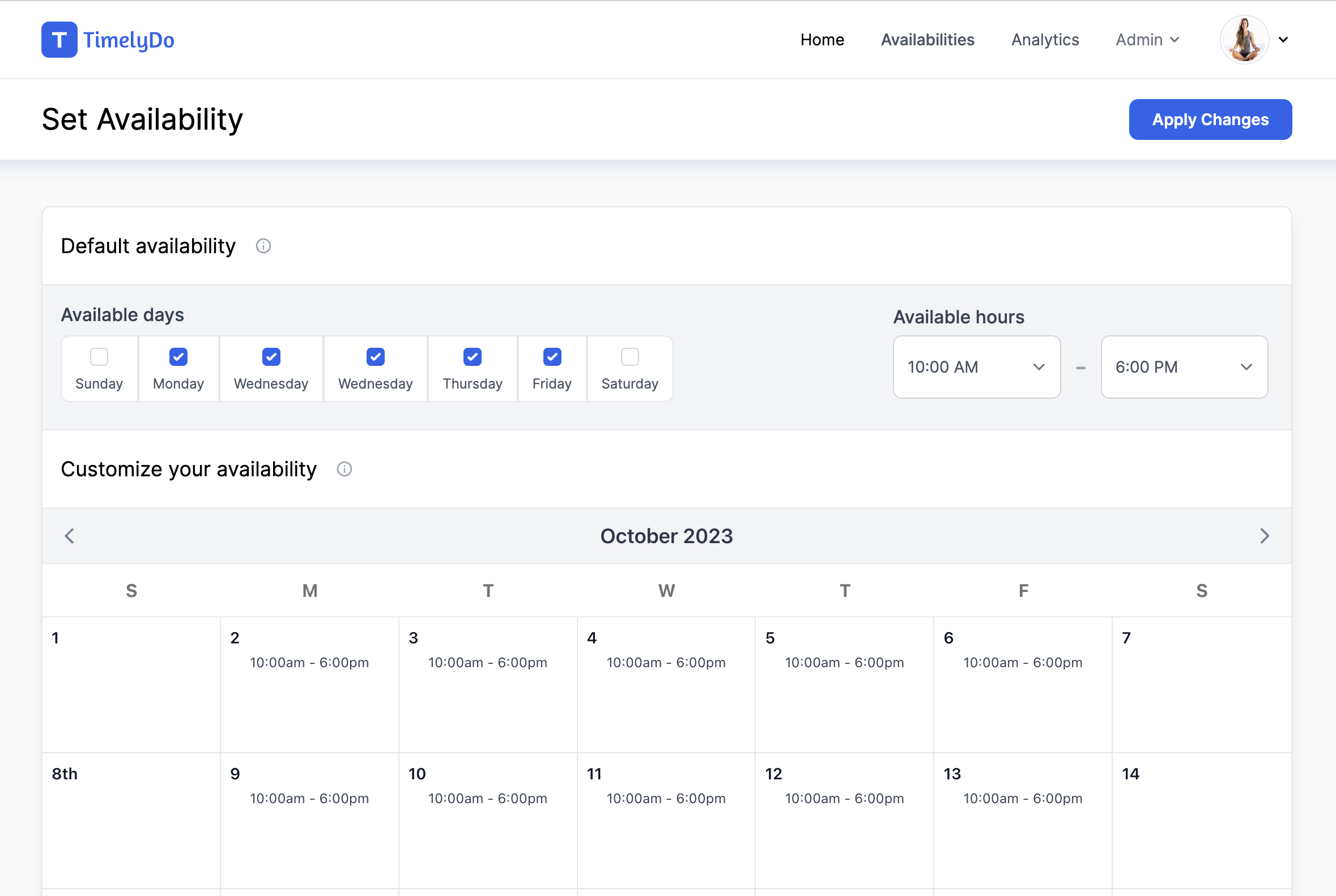
A weekly schedule you control
Set working hours per day of the week, with different hours on the days that need them and days off left closed.
Overrides for the days that differ
Give any single date its own hours, or block a named range entirely when you are away.
Correct in every timezone
Times are shown to each visitor in their own timezone, so a slot means the same moment for both of you.
Calendar sync
Existing commitments block your availability
Connect Google Calendar or Office 365. Events already on your calendar remove those times from your booking page, and new bookings are written back so the rest of your life sees them too.
- Google Calendar and Office 365 both supported
- Existing events remove matching slots from your booking page
- New bookings written back to the calendar you connected
- Connect more than one calendar and turn any of them off
Time off
Holidays that actually stop the bookings
Block a named date range once and it disappears from your booking page for its whole duration. Holidays are colour coded on your availability calendar so you can see the shape of your month.
- Named date ranges rather than one day at a time
- Colour coded on the availability calendar
- Searchable list of everything you have blocked
- Applies across every event type at once
Common questions
What stops someone booking me when I am already busy?
Connect your calendar and any existing event removes that time from your booking page. Your weekly working hours and any holidays you have blocked apply on top of that.
Can I have different hours on different days?
Yes. Working hours are set per day of the week, and any individual date can be given its own hours as an override.
How are timezones handled?
Availability is stored against your timezone and displayed to each visitor in theirs, so nobody has to do the conversion.
Start taking bookings today
Set up your event types, share one link, and let Timelydo handle the scheduling.
Free for individuals. No card required.